

About Our Messaging
Our application sends SMS text message notifications to keep you informed about important events and updates. You are always in control of what messages you receive.
How to Opt In
- Create an account or sign in to the application.
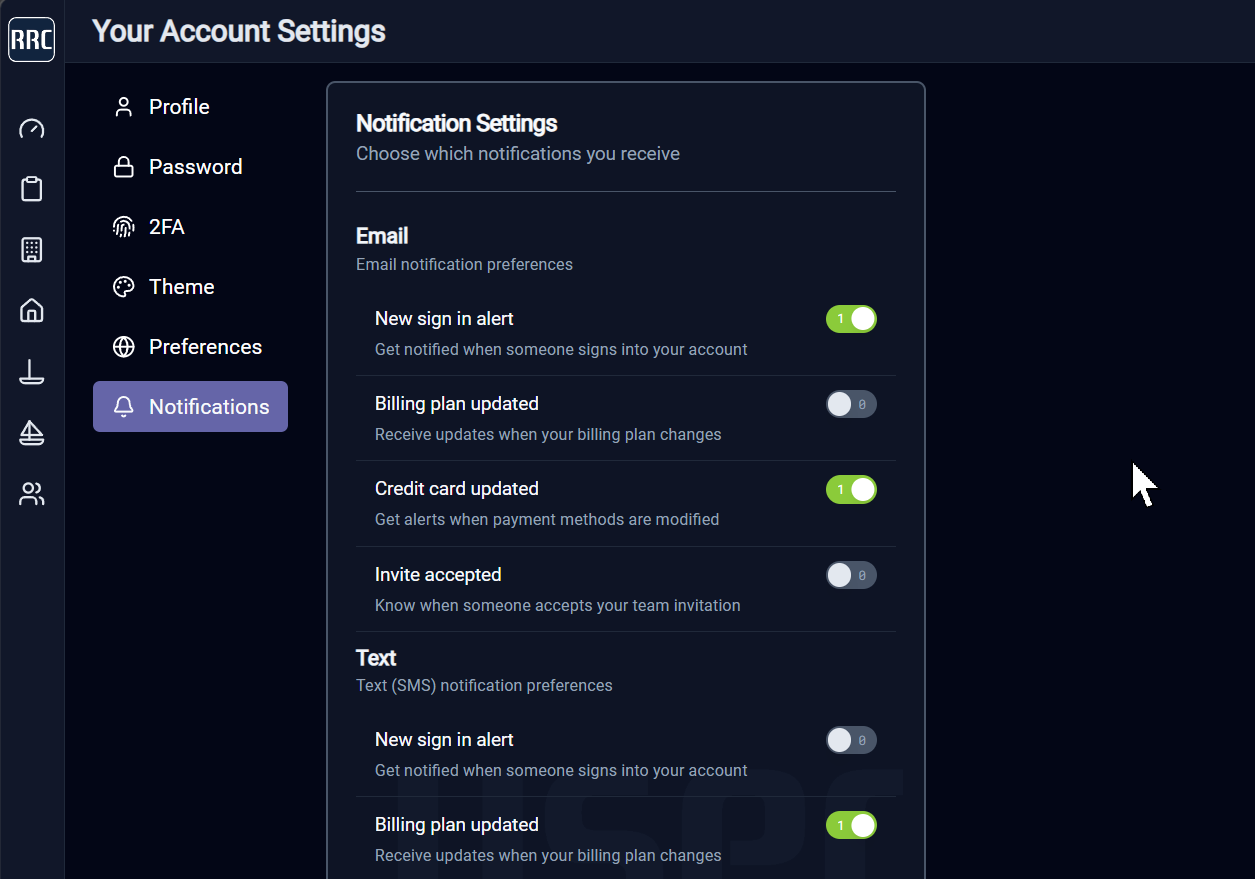
- Navigate to your User Settings.
- Open the Notifications section.
- Enable the SMS text message categories you wish to receive.
- Confirm your mobile phone number.
Your Notification Controls
The screenshot below shows the notification controls available to every user. You have granular control over each category of notification and can enable or disable SMS messaging at any time.
How to Opt Out
You may opt out of SMS text messages at any time by:
- Navigating to User > Settings > Notifications and disabling SMS categories.
- Replying STOP to any message received.
- Contacting our support team.
Message Frequency & Rates
Message frequency varies based on your notification preferences and application activity. Standard message and data rates may apply. Check with your mobile carrier for details.
Questions or Concerns
If you have questions about our messaging program, contact us at: support@mcode.com